 PawnEasy Pro
Home · Pawn shop software
Pawn Shop Software for Modern Pawn Shops
The complete workflow, in the order it happens at the counter — customer to pledge to article to loan to interest to payment to redemption — with the real screens beside each step.
One pledge, from the door to the strongroom
Most pawn shop software is described as a list of modules. That is not how a counter works. What follows is the whole path a single pledge takes — customer, article, valuation, loan, receipt — and then what happens each time that customer comes back. Five steps, and the shop can be doing them on day one.
Nothing here is a mock-up Every screen below is the real app running against the demo shop. You can walk the same path yourself during the trial without entering a card.
Step 1 · The customer
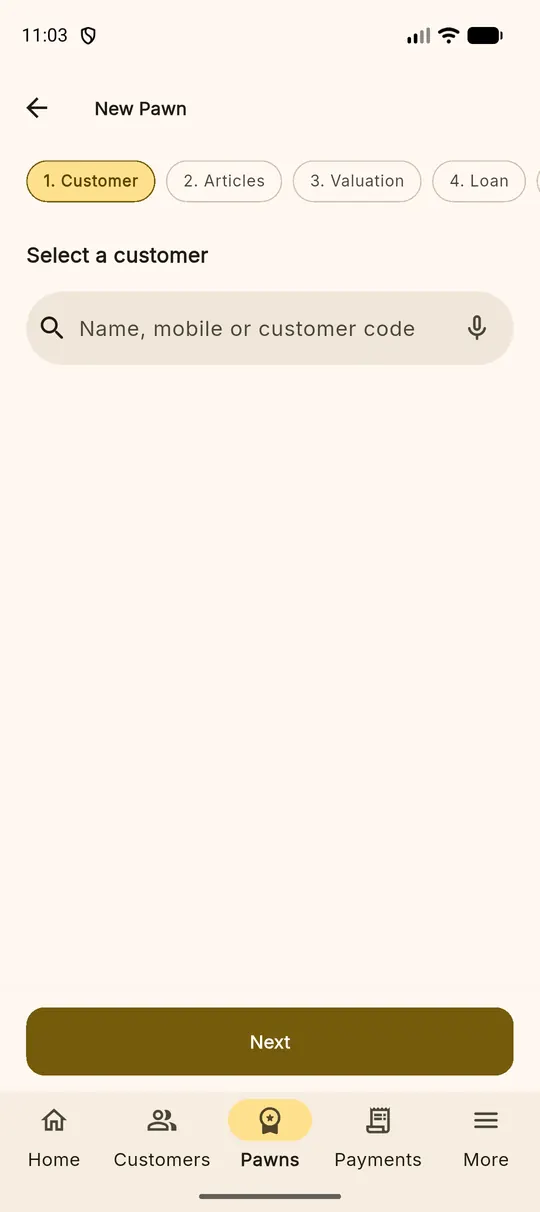
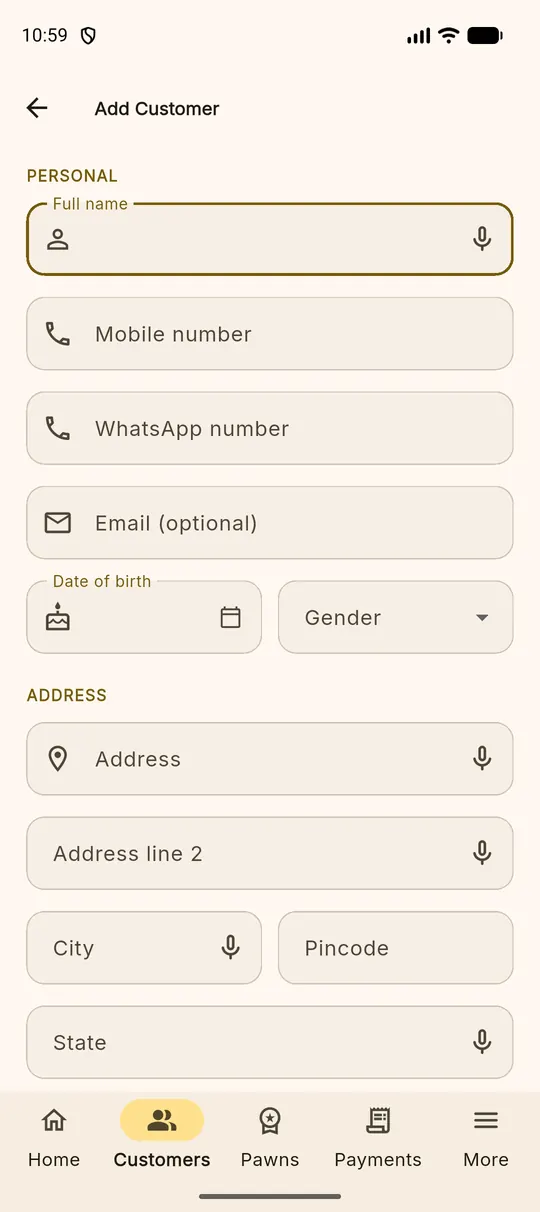
Search by name or mobile number before you create anybody. Two customers called Lakshmi are told apart by city and customer code, so the shop does not slowly grow three records for one person. A new customer takes a name, a number and whatever KYC you are required to hold.
Step 2 · The articles
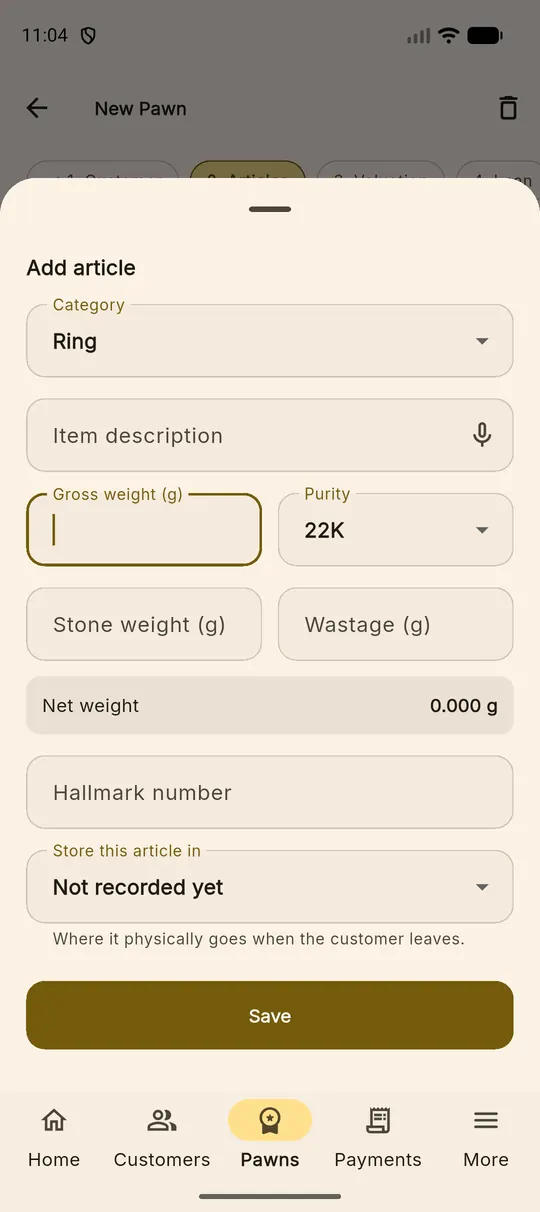
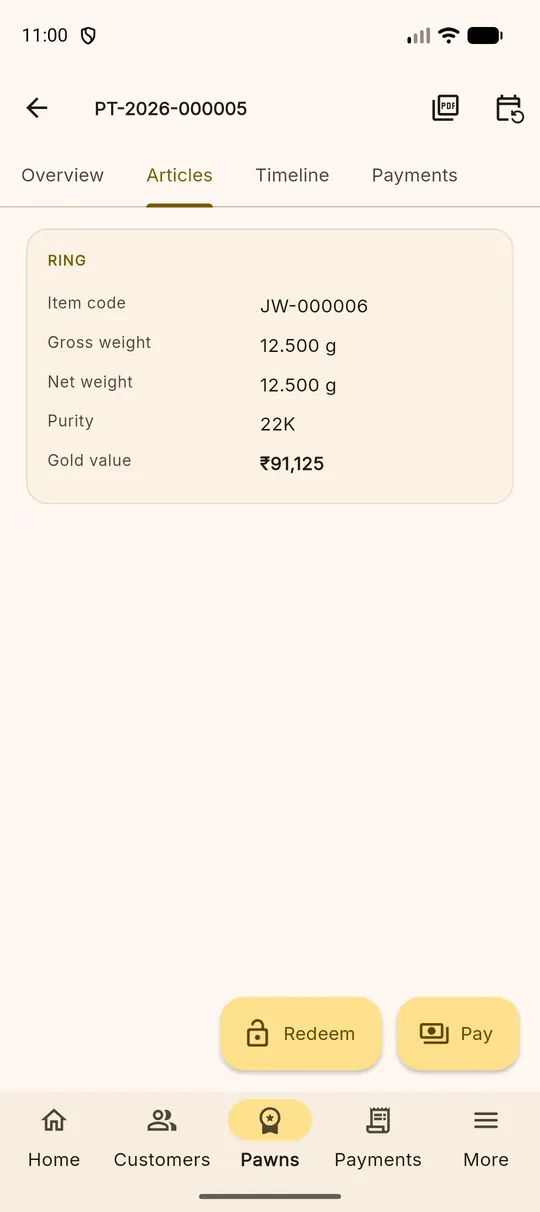
Add each piece separately — two chains and a ring are three articles, not one line reading "gold". Each carries its own gross weight, stone weight and karat, because each will be valued on its own and, eventually, released on its own. Photographs attach here and pair to the article you were on.
Step 3 · The valuation and the loan
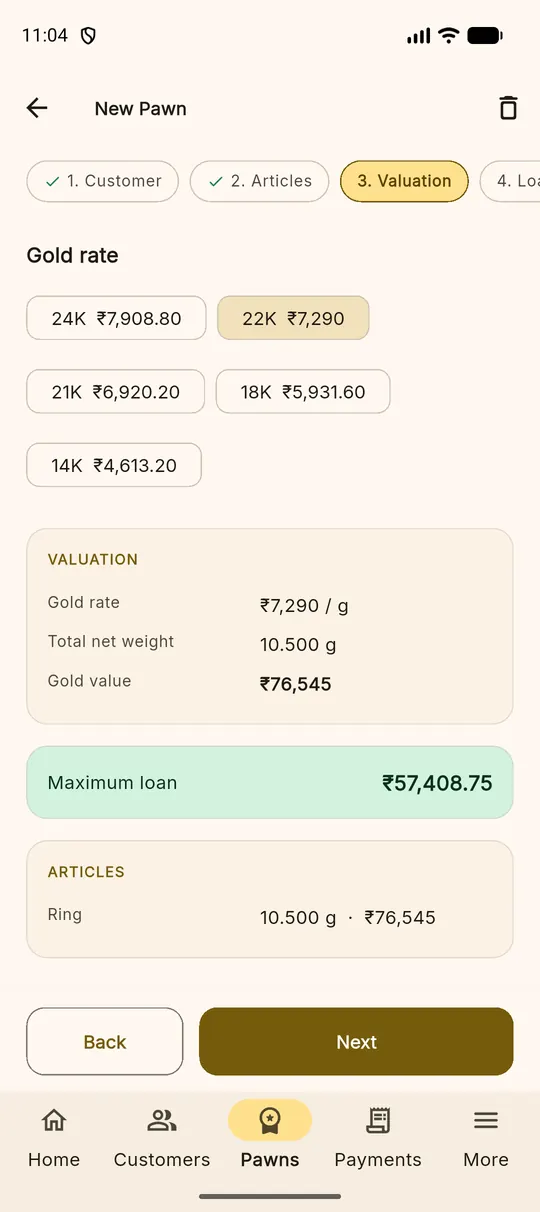
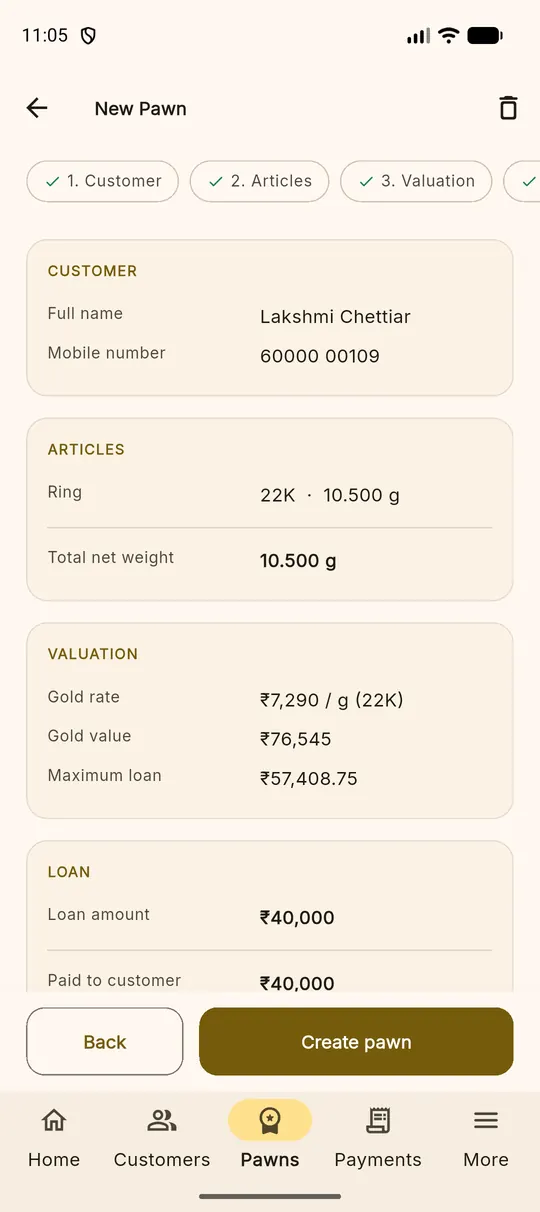
The software prices the net weight against today's rate for that karat, applies your loan-to-value, and shows the maximum. You lend at or under it. The interest scheme, the due date and the amount are set here, and the loan takes its own copy of those terms so a later change to the scheme cannot rewrite this loan.
Step 4 · The receipt, and where the gold goes
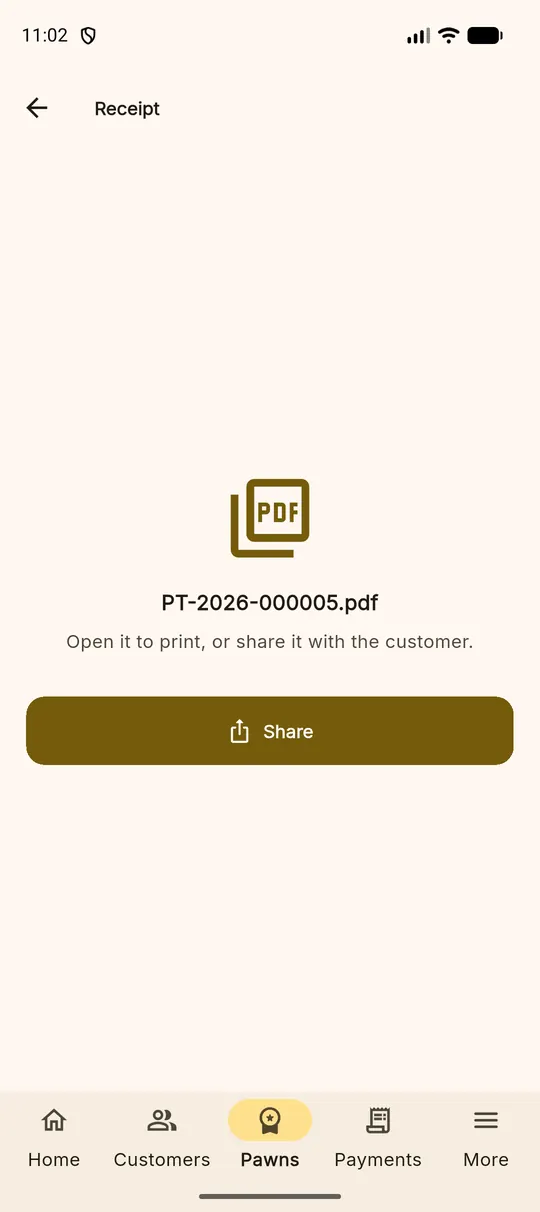
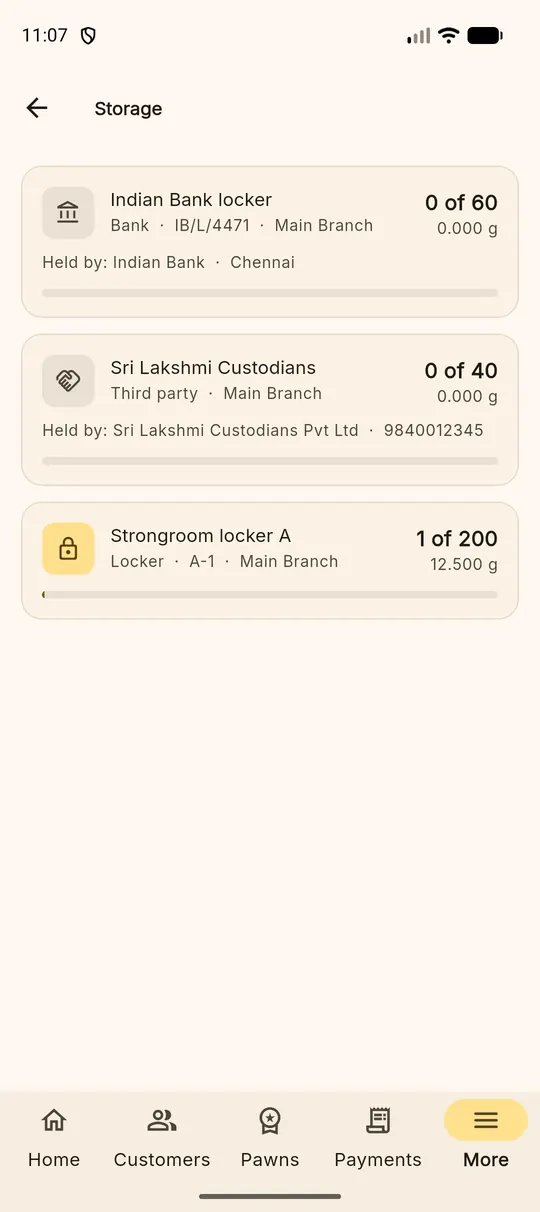
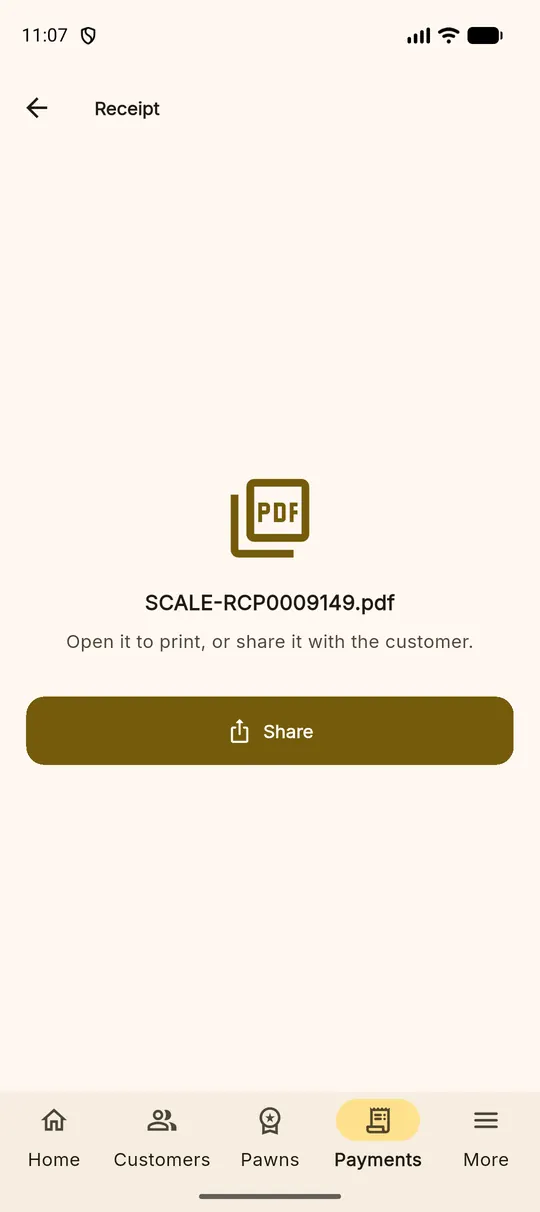
Saving the pledge produces a numbered PDF receipt you can print or send, and puts the articles into custody at the same moment. The gold is now in a named locker with a custody entry against it — there is no state in which a pledge exists and nobody knows where the jewellery went.
Step 5 · Interest, payments and redemption
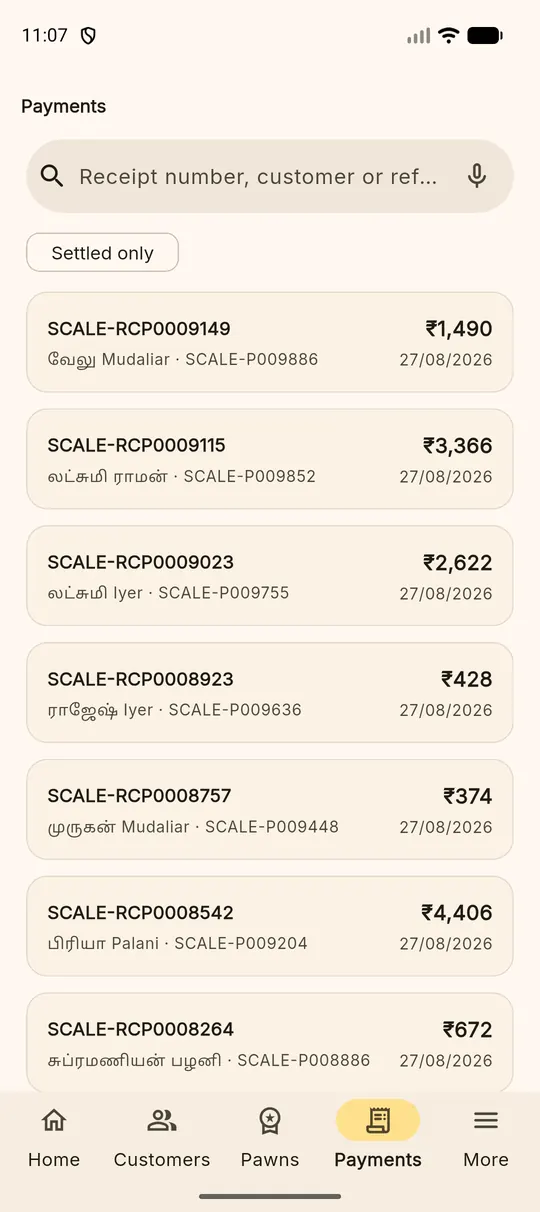
From then on the loan carries itself. Interest accrues on its own terms; when the customer comes in you take interest, part of the principal or the lot, and each payment prints its own receipt. When the balance reaches zero the articles are released out of custody and the loan closes. A reversal, if you need one, is recorded with a reason rather than deleted.
Feature list
Pawn Shop Software Features
Everything above, as a list you can check against whatever you are using now.
At the counter
- Customer management — Search before you create, so one person is one record.
- Pawn ticket management — A numbered ticket per pledge, reprintable at any time.
- Gold article management — Each piece its own record, weight, karat and code.
- Gold valuation — Net weight against the day's karat rate, then loan-to-value.
- KYC — Aadhaar and PAN encrypted at rest, shown as last four digits only.
Money
- Interest calculation — Monthly, daily or flat, on terms the loan keeps its own copy of.
- Part payment — Take what the customer brings; interest first, then principal.
- Loan renewal — Extend the loan and carry the accrued interest forward.
- Redemption — Close the loan and release the articles in one step.
- Reports — Six of them, each answering a real question, all exportable to CSV.
The shop
- Strongroom management — What you are holding, by locker, with counts and weights.
- Locker management — Named lockers with capacity, so the safe stays legible.
- WhatsApp reminders — Due, due today and overdue, from your shop's own number.
- Staff management — Four roles, and every action carries the name of who did it.
- Branch management — Add branches as you grow; staff have a home branch, not a wall.
- Android app — The counter tool — the whole workflow on a phone.
- Web application — The same books in a browser at the desk. No install.
Also on this site
The same system, from a different angle
Gold loan software
Rate board per karat, gross and net weight, loan-to-value, and the interest that follows from them.
The businessPawn broker software
Branches, staff roles, KYC, the custody trail and reminders, for an Indian broking business.
The owner's viewGold loan management software
Portfolio, overdues, interest accrued, strongroom capacity and the day book.
Try it against your own loans
Fourteen days, every feature switched on, no card. Write one real pledge and see whether the interest matches your book.