 PawnEasy Pro
Where to start
If you are setting the shop up for the first time, read the first three pages in order — an afternoon is enough. If you already have the app running and want to know how one thing works, jump straight to it.
How PawnEasy Pro works
Pledges, articles, the frozen scheme, the rate board, custody and redemption — the ideas the rest of the guide assumes.
Day oneGetting started
Create your account and business, set today's gold rate, add lockers and staff, choose your language.
The main jobTaking a pledge
The five-step wizard, field by field, and what the pledge screen shows you afterwards.
The other main jobPayments and redemption
Interest at the counter, part payments, closing a loan and handing the gold back.
Closing timeUsing the reports
Six reports and the question each one answers.
A day on PawnEasy Pro
The whole system is arranged around this rhythm, which is why the app has five tabs and not fifty menus.
| When | What you do | Where |
|---|---|---|
| Opening | Publish today's gold rate per karat | More ▸ Gold Rates |
| Through the day | Write pledges, collect interest, close loans | Pawns ▸ New Pawn · a loan ▸ Pay / Redeem |
| When someone new arrives | Add the customer once, with ID and photograph | Customers ▸ Add customer |
| Putting gold away | Place each article in a locker, bank or custodian | Chosen at intake · More ▸ Storage |
| Overnight | Reminders are prepared and sent on your schedule | More ▸ Reminders |
| Closing | Read the daybook and the collection figures | More ▸ Reports |
The app and the portal are the same books Anything written on a handset is on the counter PC immediately, and the other way round. Use whichever is nearer.
The five tabs
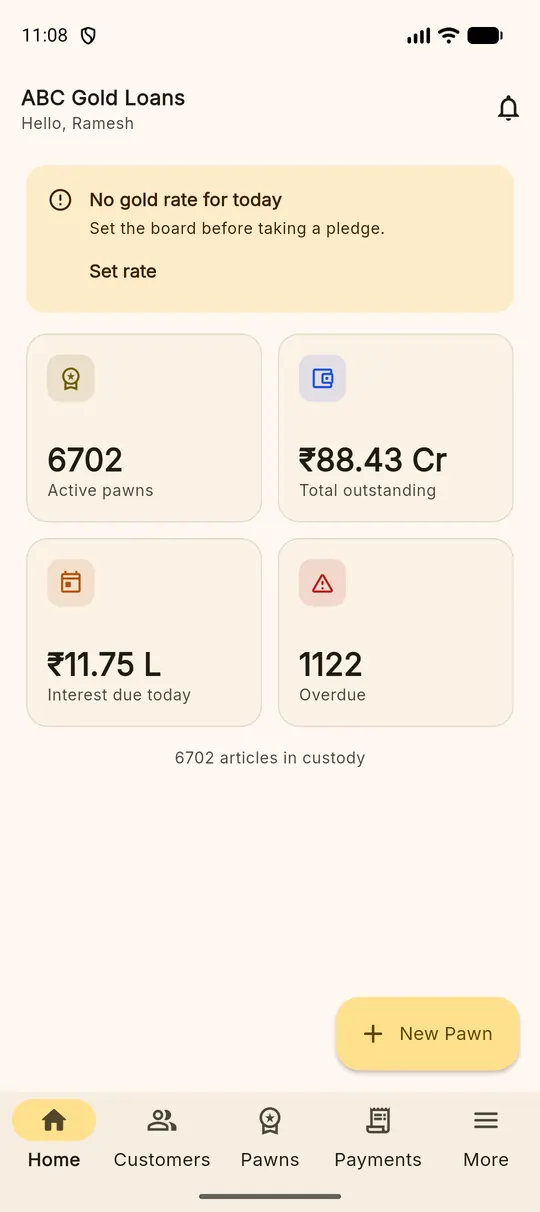
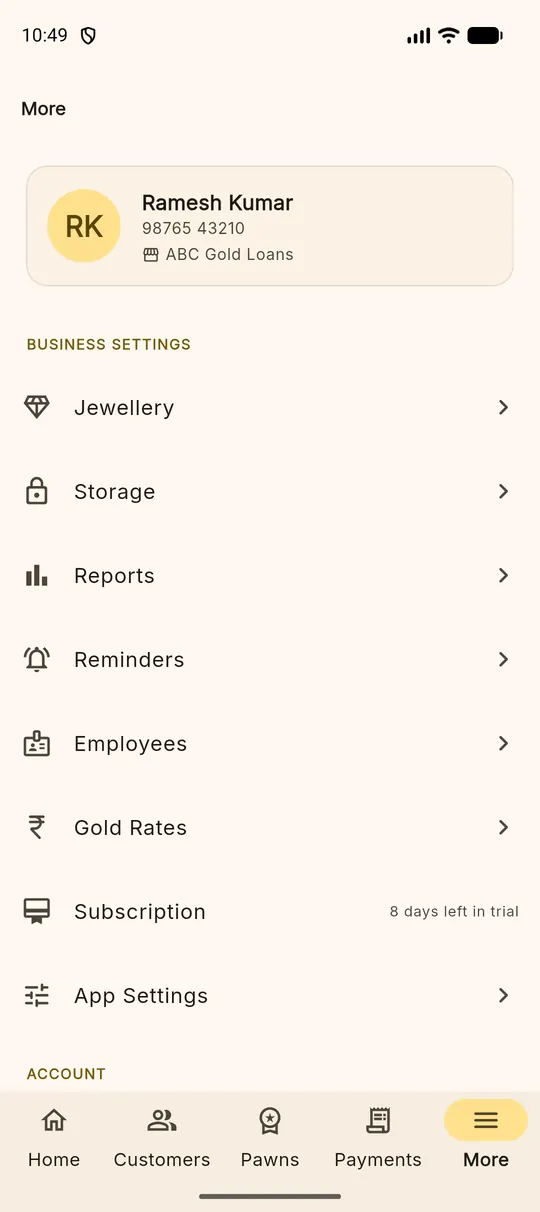
Customers, Pawns and Payments are the three lists you search all day. Each has a search box at the top that matches names, mobile numbers, loan numbers and receipt numbers.