 PawnEasy Pro
What gets sent, and when
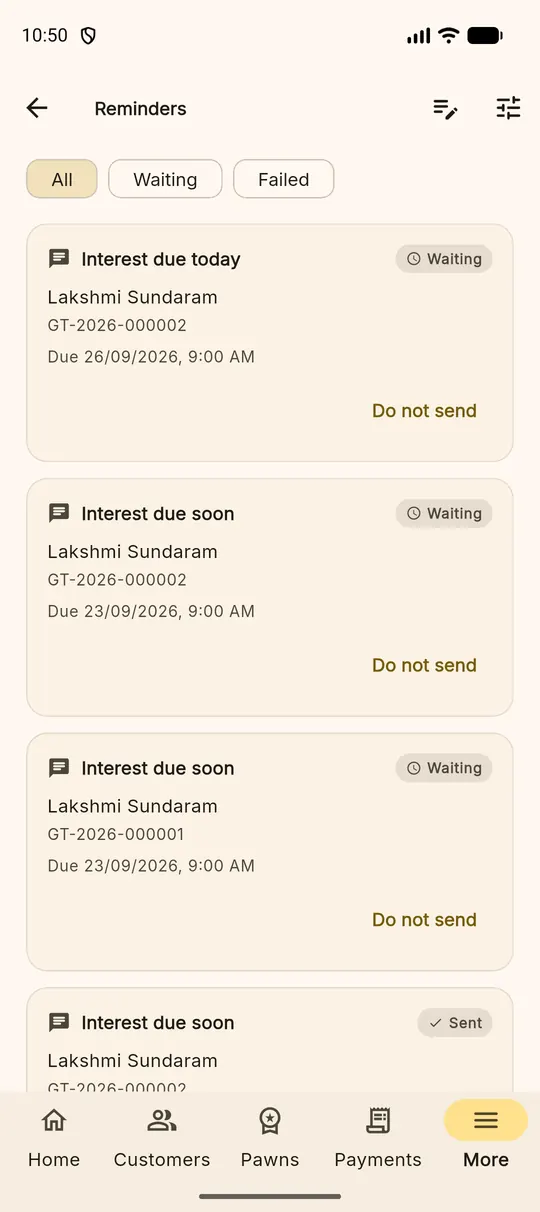
Each night the server looks at every live loan and works out who should hear from you tomorrow. Three kinds of message come out of that:
| Message | Sent when |
|---|---|
| Interest due soon | A set number of days before the due date |
| Interest due today | On the day itself |
| Interest overdue | A set number of days after a missed due date |
More ▸ Reminders lists what is queued and what has gone out, so you can see at a glance whether this morning's messages actually left.
Setting the schedule
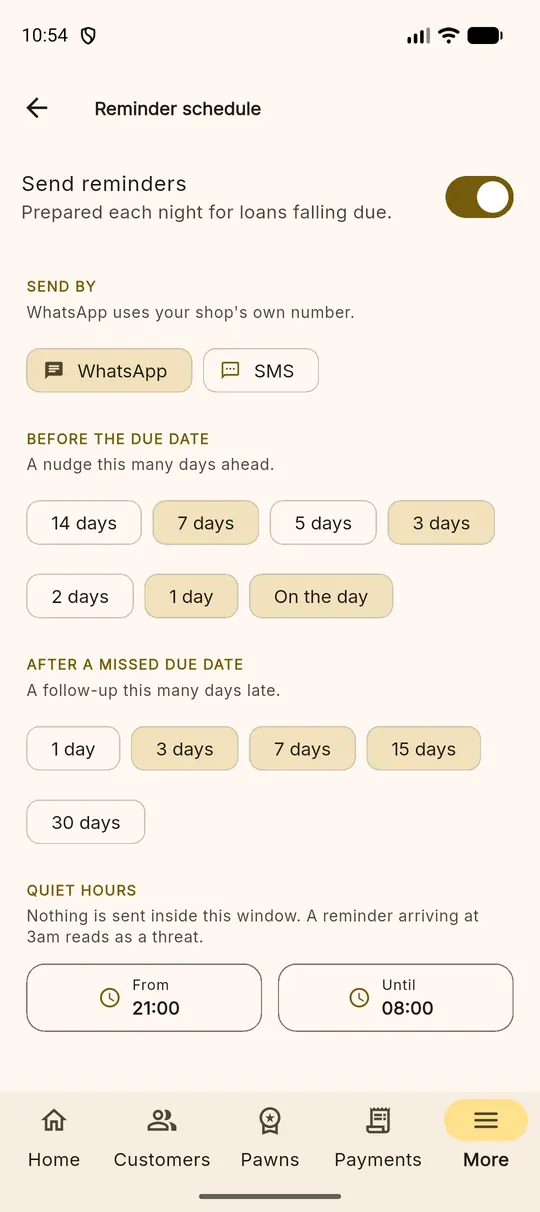
The calendar icon at the top of the reminders screen opens the schedule. Everything here is yours to decide:
- Send reminders — the master switch.
- Send by — WhatsApp, SMS, or both. WhatsApp uses your shop's own number.
- Before the due date — pick the days you want a nudge sent: 14, 7, 5, 3, 2, 1 or on the day. Choose several; most shops use 7, 3, 1 and the day itself.
- After a missed due date — follow-ups at 1, 3, 7, 15 or 30 days late.
- Quiet hours — a window when nothing is sent. A reminder that arrives at 3am reads as a threat, not a service.
Changing the wording
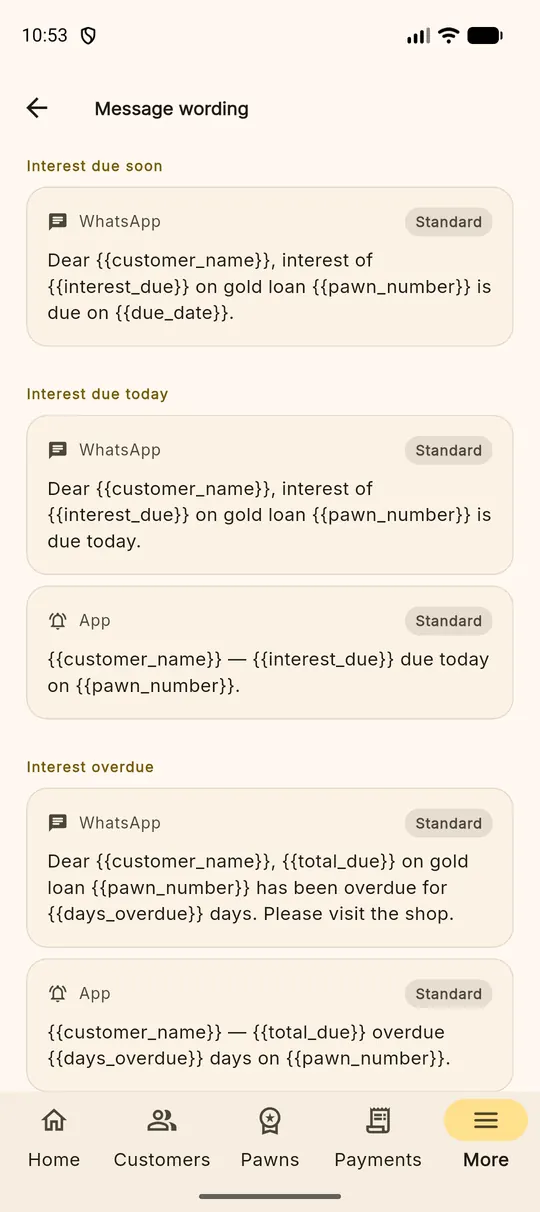
The speech-bubble icon opens Message wording: one editable template per message and channel. The placeholders in double braces are filled in for each customer when the message is prepared.
| Placeholder | Becomes |
|---|---|
{{customer_name}} | The borrower's name |
{{pawn_number}} | The loan number |
{{interest_due}} | Interest owed |
{{total_due}} | Everything owed |
{{due_date}} | The date it falls due |
{{days_overdue}} | How late it is |
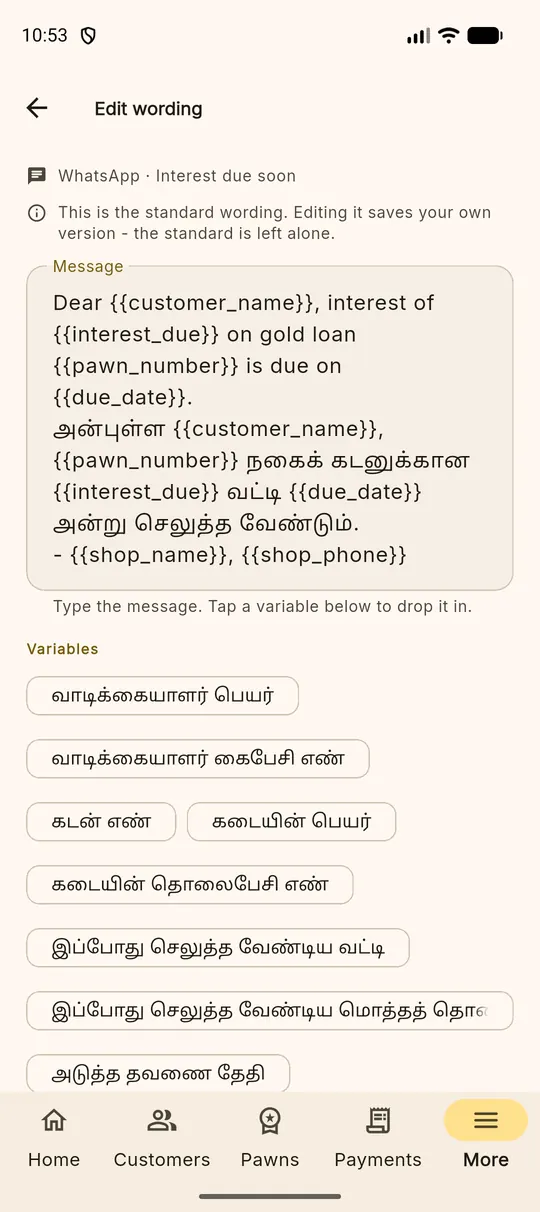
Write it the way you would say it These messages are read by your customers, not by a bank. Keep your shop's name in them, keep them short, and say what you want the person to do next.
Using your own WhatsApp number
Automatic sending goes through your own WhatsApp Business account, so the customer sees your shop's name and replies land in the conversation they already have with you. The messages are billed to you by WhatsApp rather than by us, and the credentials for that connection are stored on your shop's settings — the app can tell you whether a credential is set, but never shows it back.
Until that connection is in place, reminders are still prepared for you. A clerk can open the list and forward a prepared message from their own handset, which is how many shops start.
A word about tone
A reminder is a service to a customer who has forgotten, not a demand to a debtor. The default wording is deliberately mild — the name, the loan, the amount, the date. Shops that keep it that way get better collection than shops that do not.